 Projects
For iPhone, iPad, Mac and Apple Vision Pro
all your plans
on one timeline.
Phases, milestones and people, kept in sync with Reminders and Calendar, and ready for Siri.
Works with the apps you already use
- Reminders
- Calendar
- Siri
- iCloud
- Shortcuts
Timeline
See it all,
side by side.
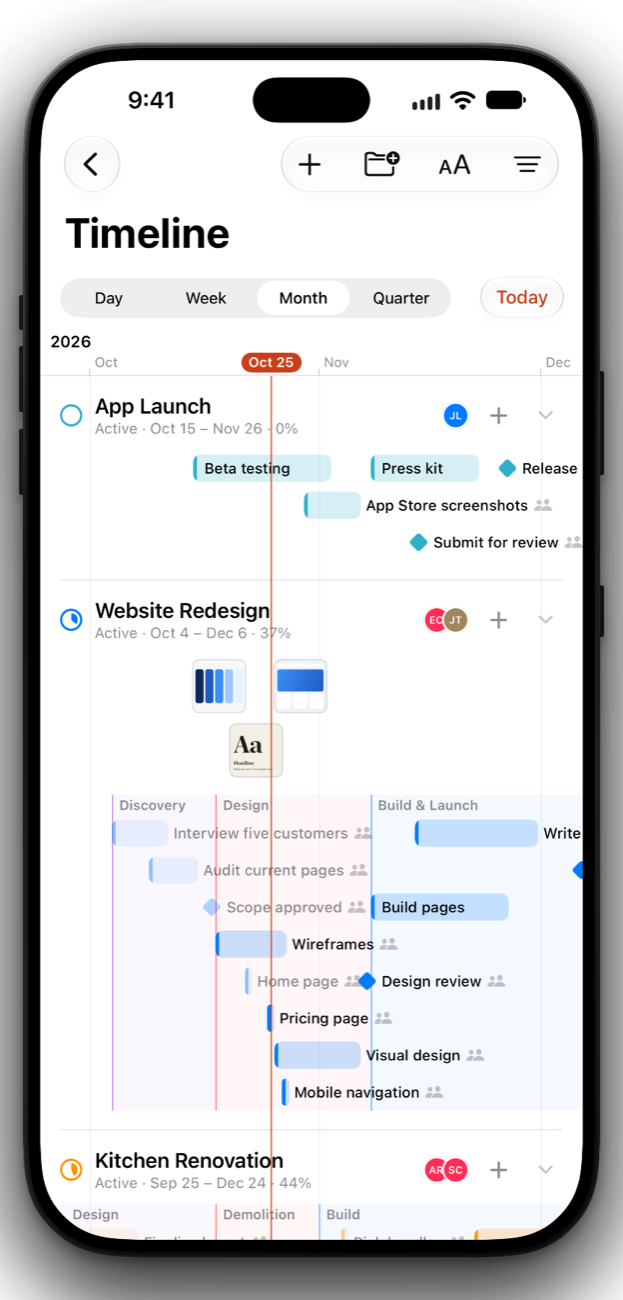
Every project in its own lane, on one shared timeline. Scrub through days, weeks, months or quarters, and pinch to zoom.
- Phases and milestones. Shaded phases and diamond milestones show where each plan is headed.
- Quiet stretches fold away. Empty weeks shrink, so busy ones get the room.
Project pages
Your project,
beautifully kept.
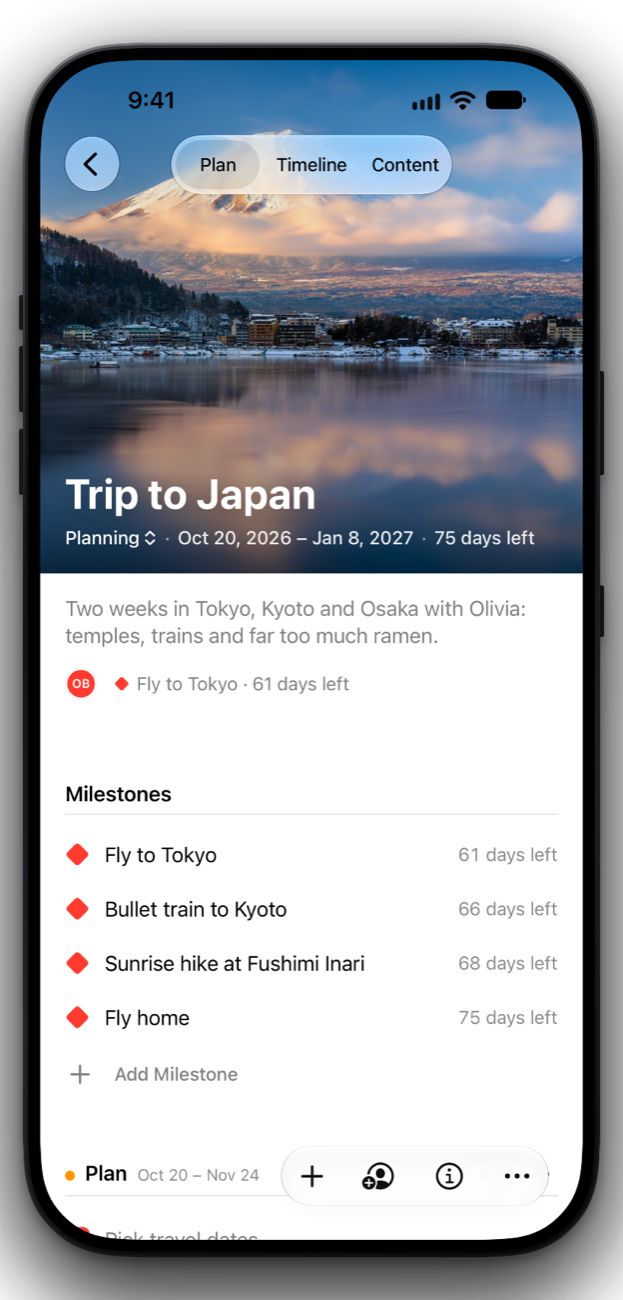
A header photo of your own, then the plan: milestones, phases and tasks with subtasks, notes and people.
- Save inspiration. Keep posts from Instagram, Pinterest and the web, pinned along the timeline.
- Add tasks in a sentence. Type a title, tap a chip for the date, and it’s on the plan.
Agenda
Your days,
at a glance.
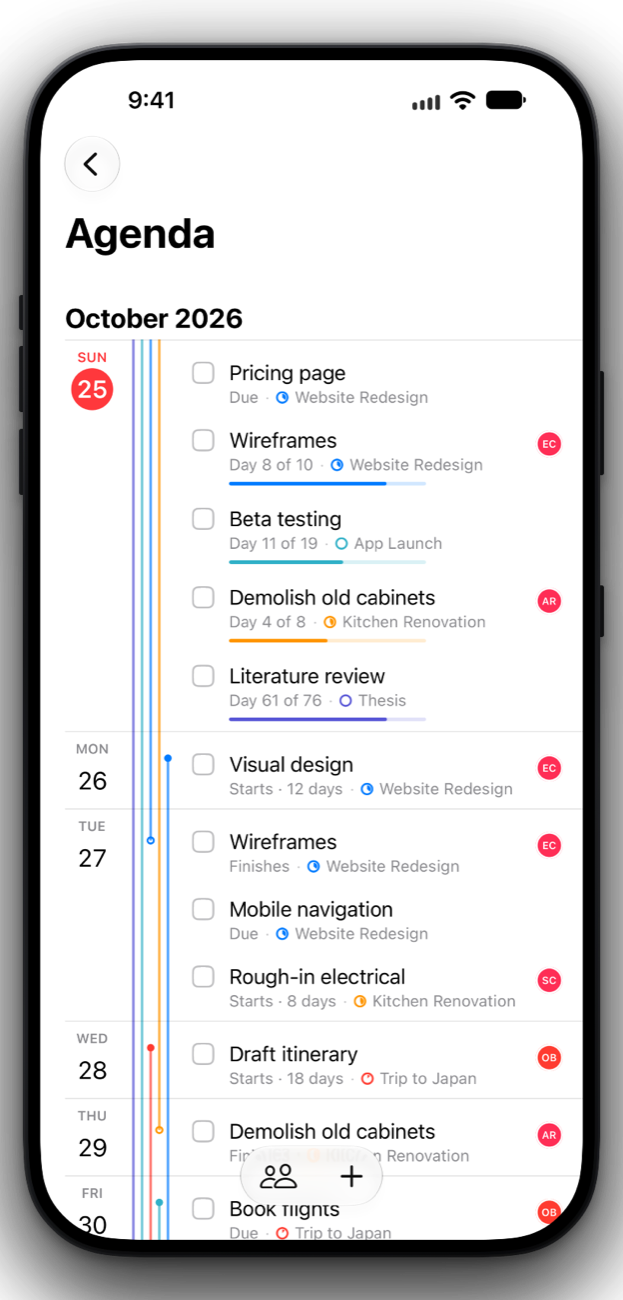
What starts, finishes or hits a milestone each day, across every project, with a thread of color for each one.
- Reminders and Calendar, both ways. Lists become projects and events become tasks, kept in sync.
- Ask Siri. “What’s due in Projects?” answers with a card you can check off right there.
Notifications
Reminders that know
the whole plan.
Reminders and Calendar already alert you. Projects adds what they don’t know: who’s involved, what’s waiting, and clashes on your calendar.
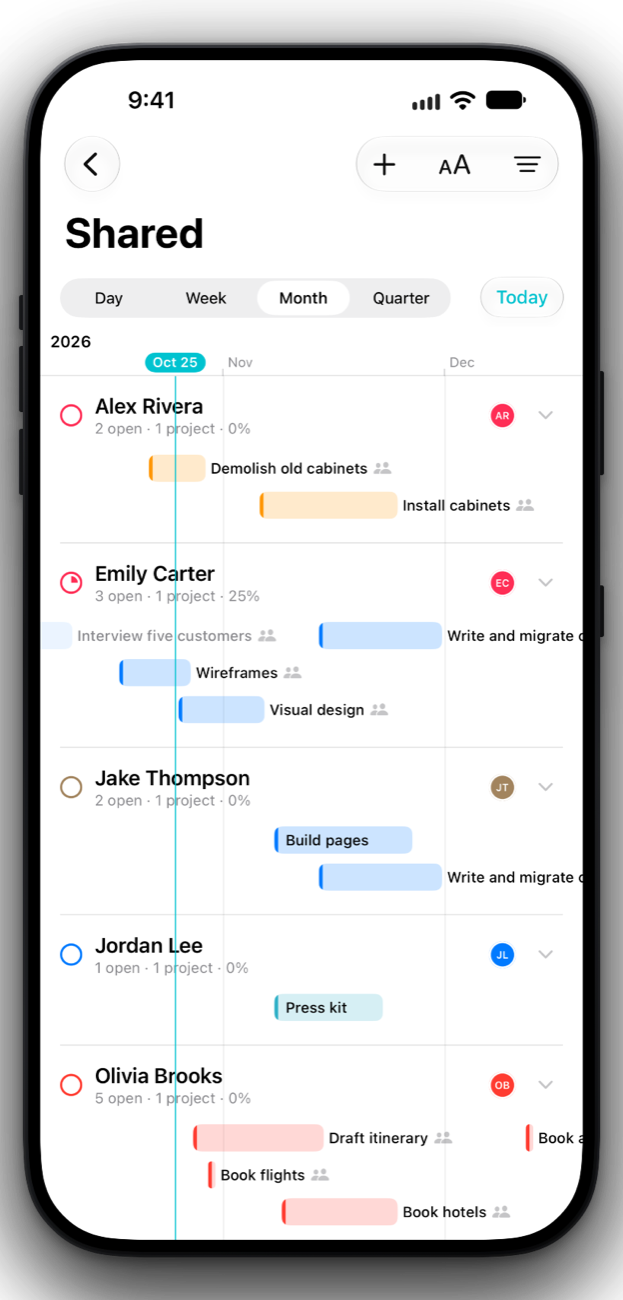
Shared with Alex Rivera
“Install cabinets” starts after this
3 tasks still open
Sharing
Plan it with
your people.
Share a project over iCloud, add people from Contacts with their photos, and see everyone’s work grouped by person.
- Everyone can edit. Changes appear on everyone’s devices in seconds.
- Friends get two months free. And you get a free month when your first friend joins.
Made for the long game.
Everything you need to plan a trip, a renovation, a launch or a thesis, and nothing you don’t.
Apple Intelligence
Siri understands projects as lists and tasks as reminders, so you can add, move and finish things by asking.
iPhone Duo seated mode
Prop it up and the timeline fills the top while today’s work waits below.
Private by design
No accounts, ads, analytics or tracking. Your plans stay on your devices and in your own iCloud.
Free to plan.
Pro to plan together.
The timeline, agenda, sync and iCloud are free. Projects Pro adds people, sharing and task assignment.
- Unlimited projects and tasks
- Timeline and agenda
- Reminders and Calendar sync
- iCloud on all your devices
- Everything in Free
- Add people from Contacts
- Share projects over iCloud
- Assign tasks
- Every Pro feature
- No subscription
- Yours to keep
Prices in U.S. dollars. Local prices are shown in the App Store.
Start planning today.
Two example projects are waiting, so you can see how it all fits together.
iPhone · iPad · Mac · Apple Vision Pro